



Noise suppression that stays on your machine
DeepFilterNet3 cleans up your microphone on your own computer, or in your browser, before anything leaves it. Keyboards, fans and the dishwasher stay home.
Talk. Play. Hang out.
Voice rooms that stay open, screen sharing with sound, a soundboard and a DJ booth, and text channels for everything in between. Built on Matrix, so the house is yours.
Voice rooms
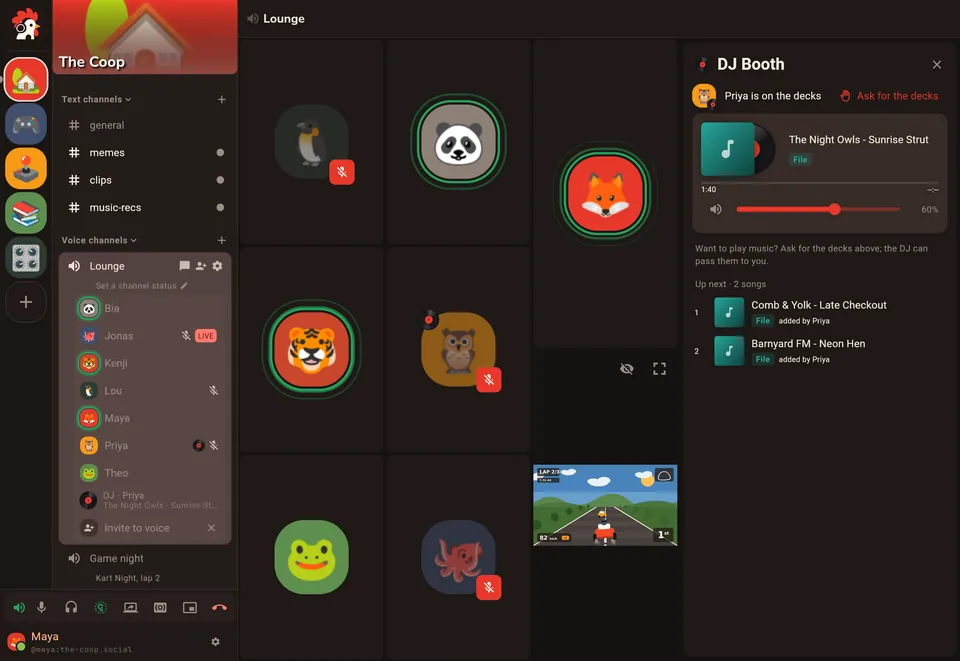
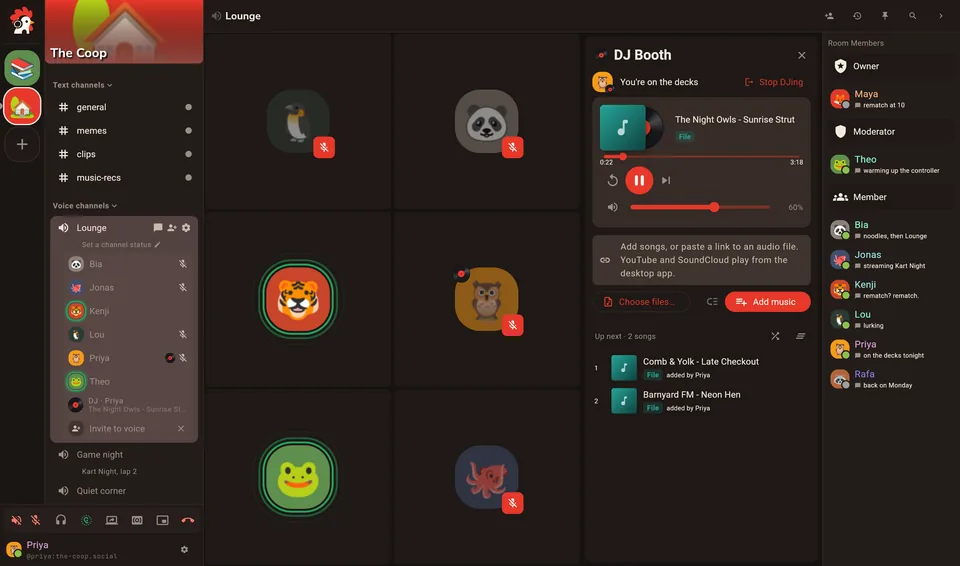
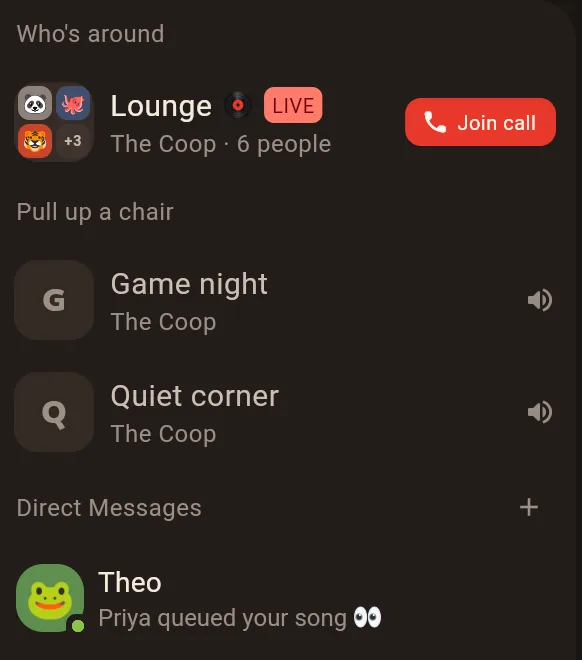
A voice room is a room, not a call. Nobody rings: it's open whenever someone's in it, and you can see who is before you pull up a chair.
Rooms don't ring, they just are. Drop in, drop out, and see who's around before you join. Set each person's volume, use push to talk if you like, and let noise suppression take the dishwasher out of your mic.
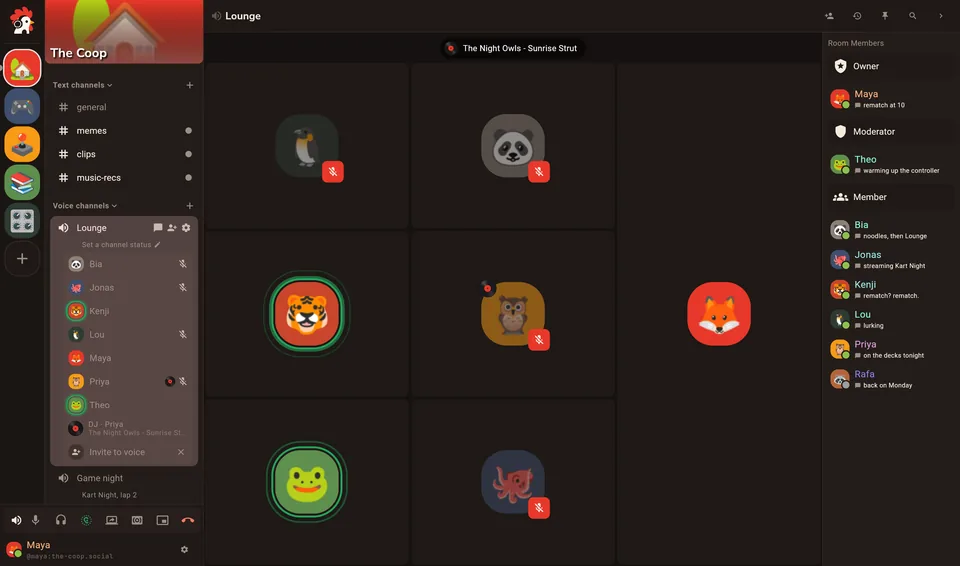
Stream a game, or put a movie on for everyone. You pick the bitrate and frame rate, and nobody asks you to pay for 1080p. When several people share, watch them side by side.
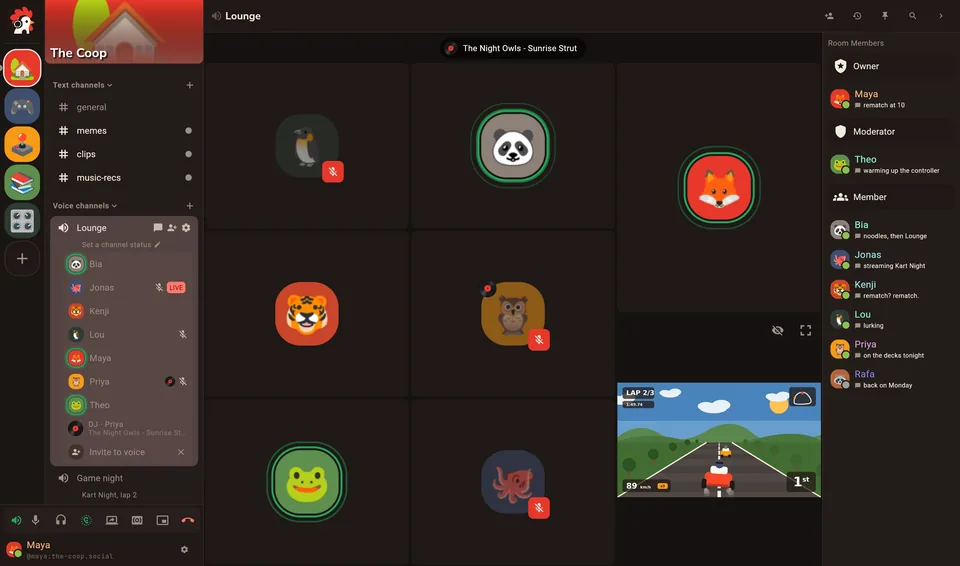
Six classics live under the rooster in every call. Add your house's own from a file or a link, trim them in the editor, and everyone hears them at the same loudness. No subscription to use them anywhere.
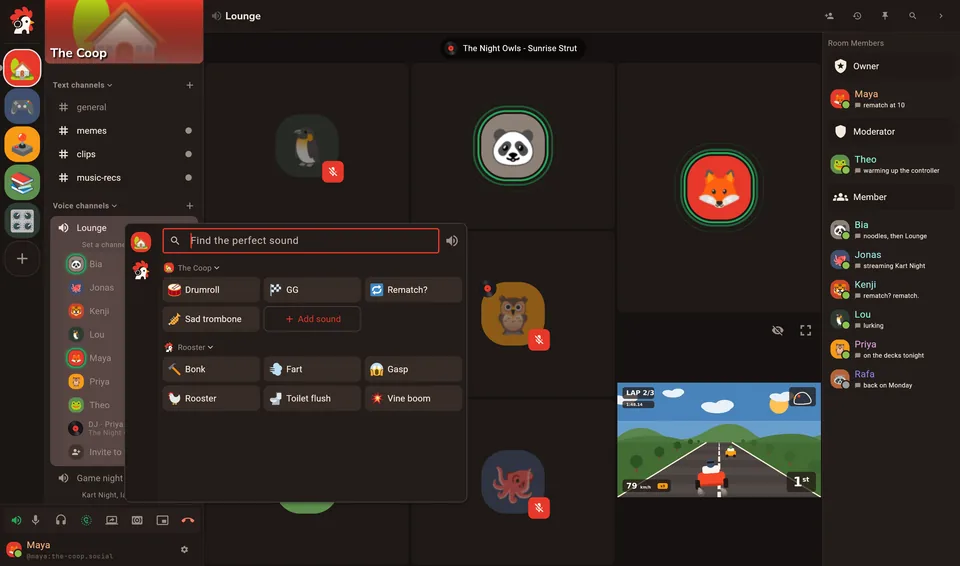
Queue songs from your own files and play them into the room. Everyone hears the same song at the same moment, late joiners included, and each person sets their own volume. Source extensions you install can add more.
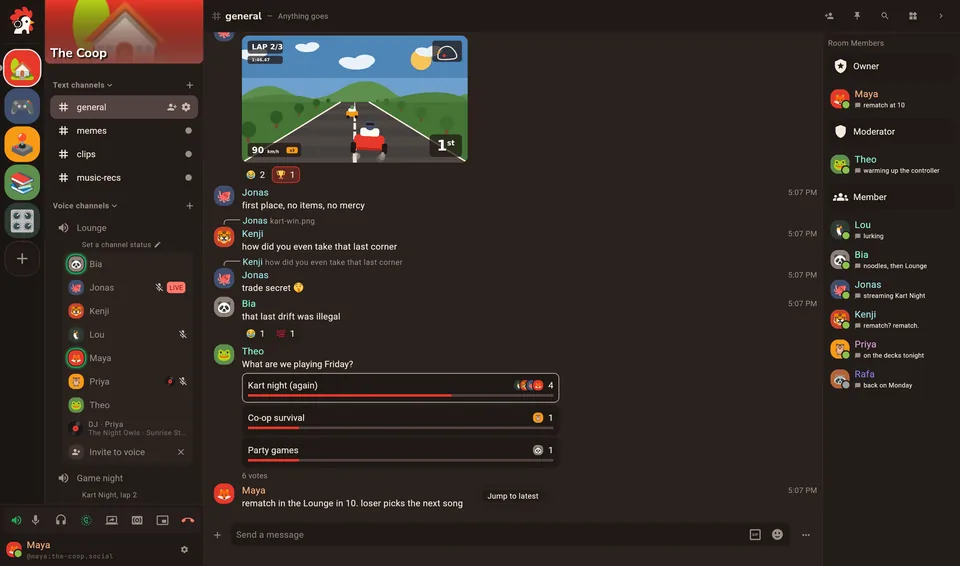
Replies, reactions, polls, threads, GIFs, custom emoji and stickers, in channels you sort under your own headings. Instagram reels play right in the chat, and X posts open as full cards.
Inside
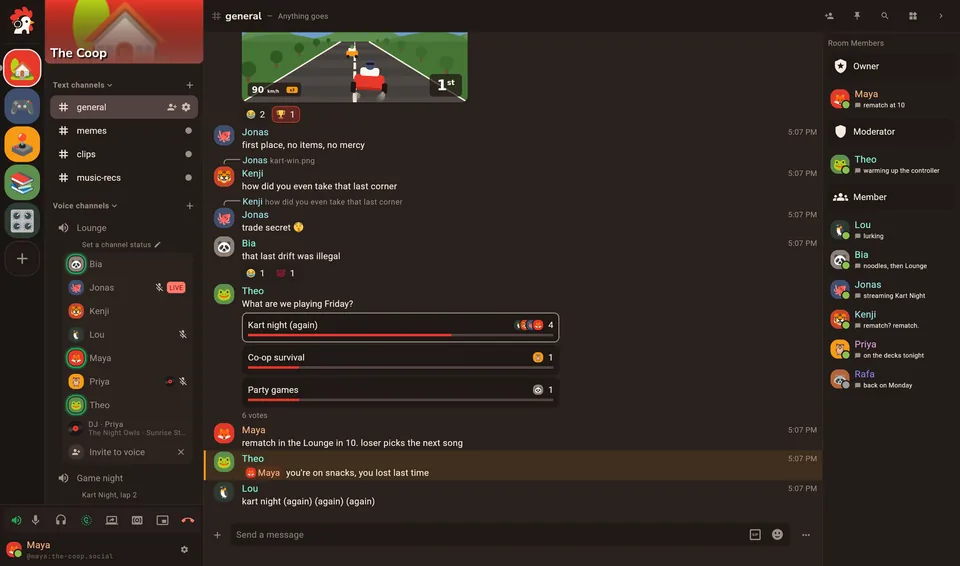
Every screen on this page is the app itself, with made-up people in it. Install it on Windows, macOS or Linux, or open it in the browser with nothing to install.



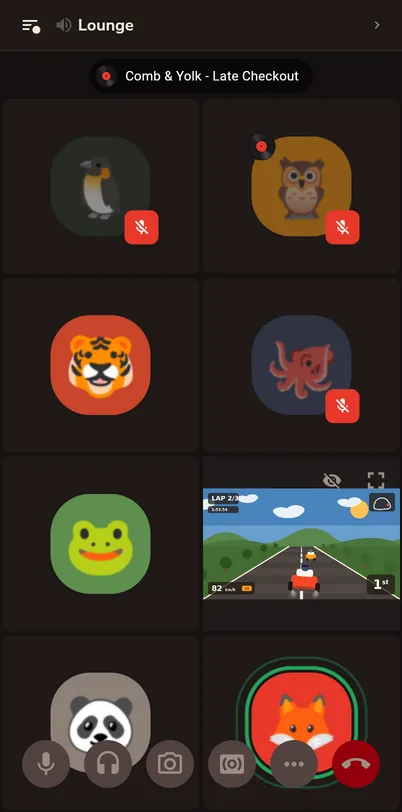

In the browser, voice, screen sharing, the soundboard and the DJ booth all work. On a phone, add it to your home screen and it opens like an app.
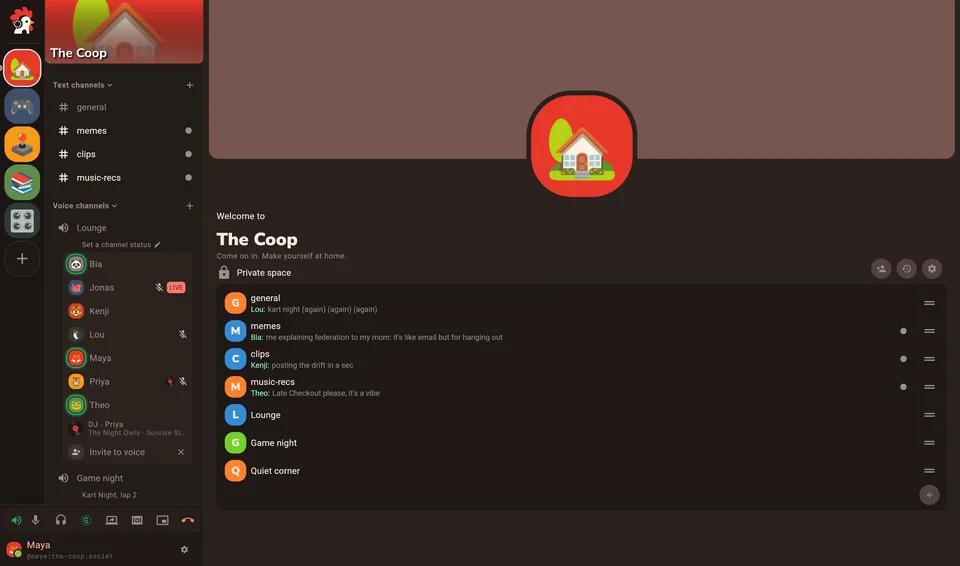
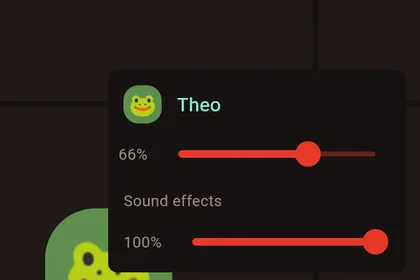
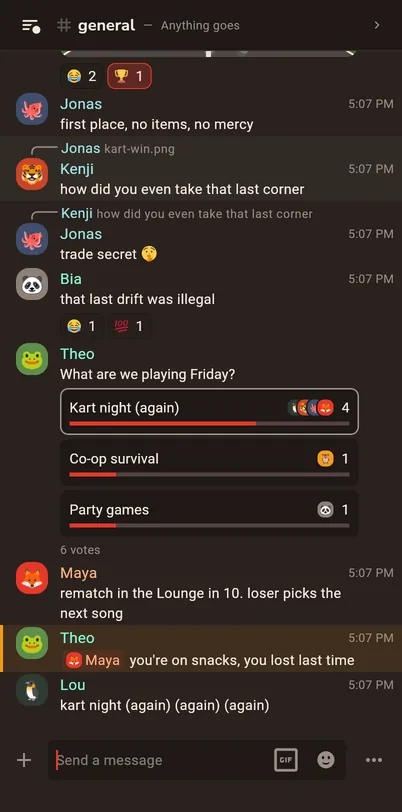
Spaces are houses, channels are rooms. Sort them under your own headings, see who's around, and turn anyone up or down in a call.
An installer, and updates that install themselves over the running build.
One universal build for Apple silicon and Intel, as a disk image.
x64 and arm64, with a setup script. It keeps itself up to date too.
Nothing to install, voice included. On a phone, add it to your home screen.
The little things
DeepFilterNet3 cleans up your microphone on your own computer, or in your browser, before anything leaves it. Keyboards, fans and the dishwasher stay home.
Every second, Rooster checks that your mic still gets through and that you still hear everyone. If not, it repairs the connection without a rejoin.

See who's online, away or in a call, right under your houses, and the quiet rooms you could pull up a chair in.
Mute and hang up from the taskbar on Windows, the Dock on macOS, the launcher on Linux, or a small floating panel in the browser.
Add a clip from a file, a link to an audio file, or a page a source extension knows, and trim it to the good part.
Sign in with any Matrix account, from matrix.org or anywhere else, or run a homeserver for your crew. Houses on different servers still talk to each other, and so do people on other Matrix apps.
English and Brazilian Portuguese, nothing half translated. It follows your system unless you pick.
Rooster vs Discord
Rooster has the voice rooms, soundboard, screen sharing and text channels you know from Discord. What's different is who owns the house, and what it costs to make yourself at home.
 Rooster
Discord
Discord is a trademark of Discord Inc. Rooster is not affiliated with Discord. Comparison checked against Discord's public plans and announcements in October 2026.
Questions
Accounts, servers, phones and what it costs.
No. Sign in with any Matrix account, from matrix.org or any other homeserver, or make one there. If your crew wants a house of its own, run a homeserver such as Synapse, with LiveKit and its JWT service beside it for the voice rooms (the same setup Element Call uses).
Yes. There's no paid tier, no ads and no tracking. Rooster is open source under the AGPL-3.0. Things like upload size are set by your server, not by a plan.
Not from an app store yet. Open Rooster in your phone's browser and add it to your home screen: it opens like an app, and voice rooms work there too.
Yes. Rooms, DMs and spaces are plain Matrix, so they work across apps and servers. Rooster's extras, like the soundboard and the DJ booth, show up for people using Rooster.
Messages in encrypted rooms and DMs are end-to-end encrypted, and you can verify each other's devices with emoji. Calls are encrypted on the way to the server. End-to-end encrypted voice rooms are still an experiment you can turn on in Settings → Experiments.
The macOS build isn't signed by Apple yet. The first time, right click Rooster and choose Open. After that it opens normally.
Download
Free, for every computer you've got, and the browser.
Windows and Linux builds update themselves. The macOS build isn't signed by Apple yet: right click → Open the first time. Every release is on GitHub.
Bring the whole flock. It's free, and it's yours.